
Account Permissions
Release 27
Overview
As DEACON usage grows and the platform expands into new features, our user permissions infrastructure has evolved. This rework sets the foundation for a scalable, role-based access control system that aligns better with real-world golf operations and privacy expectations.
Organization Admins
Only organization admins, along with our USGA support team, have the ability to edit user permissions. Organizations admins can only modify permissions for users within their same organization. If you are not listed as an organization admin and would like to become one, please reach out to your current organization admin. They will need to edit your user permissions and toggle “Administration”. Otherwise, please reach out to greensection@usga.org.
Permission Buckets
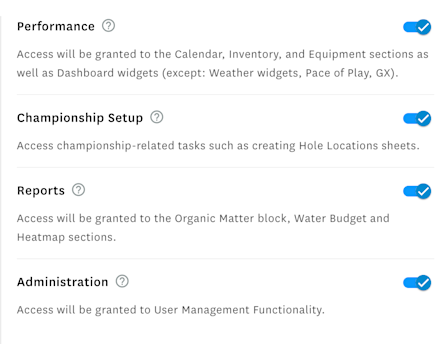
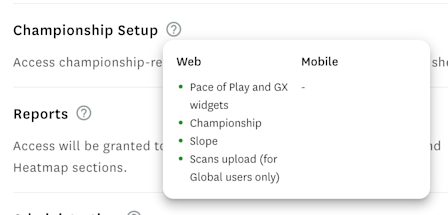
There are 4 different permissions buckets at this time: Performance, Championship Setup, Reports, and Administration. To see what is included in each of the 4, hover over the question mark icon next to the bucket name.
As a general recommendation, consider granting:
- Superintendents access to all buckets
- Grounds crew access to Performance
- Finance access to None (they will still be able to check out for products on the GS Shop website)
When you select a job title for new users, the checkboxes for access to permission buckets are automatically toggled based on USGA Green Section's recommendation. You can change these as you'd like before saving.
Steps to Modify Permissions
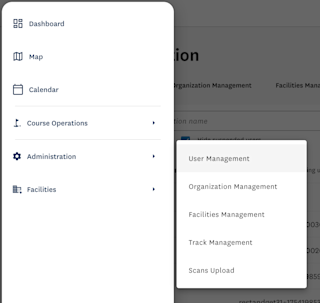
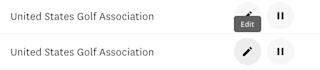
Navigate to Administration -> User Management like before. Search for the user, then click the Edit icon next to their name. Edit the information fields and save.
Steps to Add Users
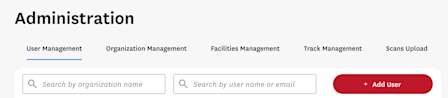
Navigate to Administration -> User Management like before. Select the right red button, Add User. Fill out the information fields and save.
Role Mapping
For new users, suggested permissions will be checked based on role. The admin can decide to save or change these:
Job Title | Permissions Bucket Suggested Access |
AGA | Course Setup |
Assistant Superintendent | All except Admin |
Director of Agronomy | All except Admin |
Finance | None (with ability to pay) |
General Manager | None (with ability to pay) |
Golf Professional | Course Setup |
Grounds Crew | Performance |
Professor | All except Admin |
Student | All except Admin |
Superintendent | All except Admin |
Other | None |
For existing users as of August 11th, 2025, your current permissions will be updated based on what your role is.
Role | Enabled Features |
|---|---|
Agronomist | All except Admin |
Superintendent | All except Admin |
SIC | Course Setup |
Org Admin | All |
Mobile
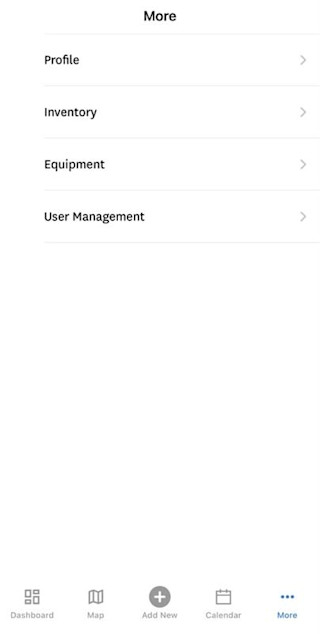
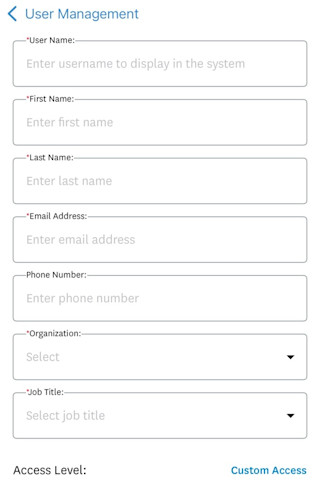
While we recommend performing user management changes on the DEACON web platform so you can have a larger screen, you may also perform user management updates on mobile. On the mobile bottom navigation, go to More -> User Management.
Please feel free to reach out to greensection@usga.org with any questions or comments.