
DEACON R33 Release Notes
DEACON release 33 introduces new web capabilities in a course-wide heatmap as well as the ability to view past test results spatially via the calendar. Both changes stem directly from user feedback about the moisture maps and mobile versus web functionality. Various bug fixes also went into the mobile update.
Viewing Past Test Results on Web
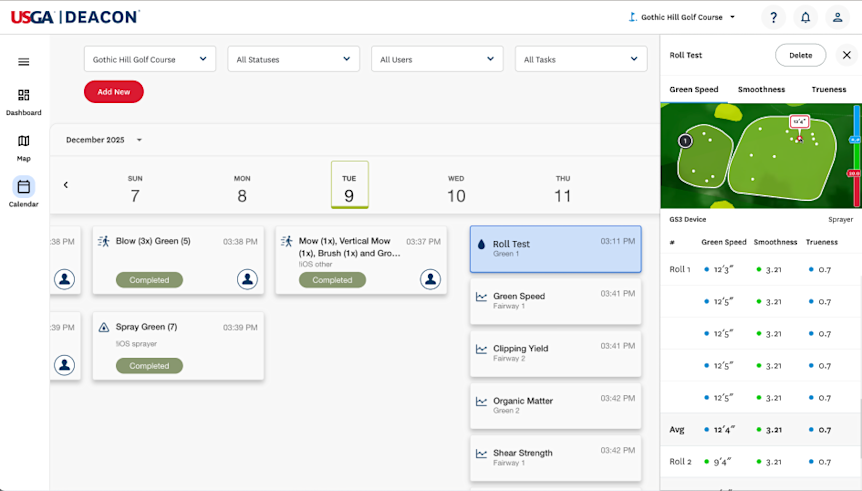
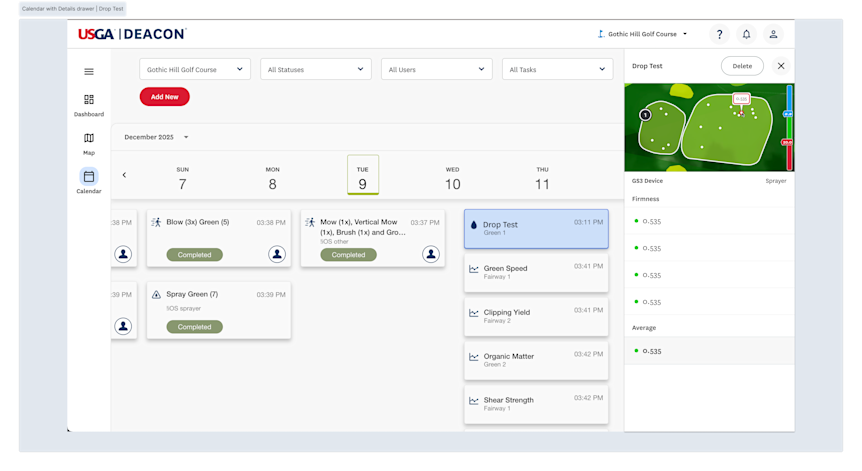
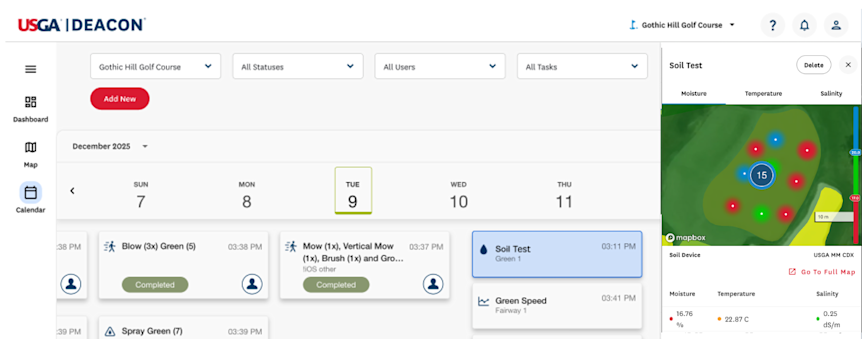
While test results could be viewed in spatial and tabular form on mobile, we previously did not include such functionality on web. In R33, view and edit the spatial and tabular results of a particular roll, drop, or soil test on web, so that you can review and adjust the information in greater detail ahead of making course maintenance decisions. The changes include:
- Small visual of the surface with corresponding measurement locations marked
- Table with display name of device, measurement list, and delete measurement capability
- UX flow additions for closing and opening the sidebar by clicking on the test or hitting the top right X
Course-Wide Heatmap on Web
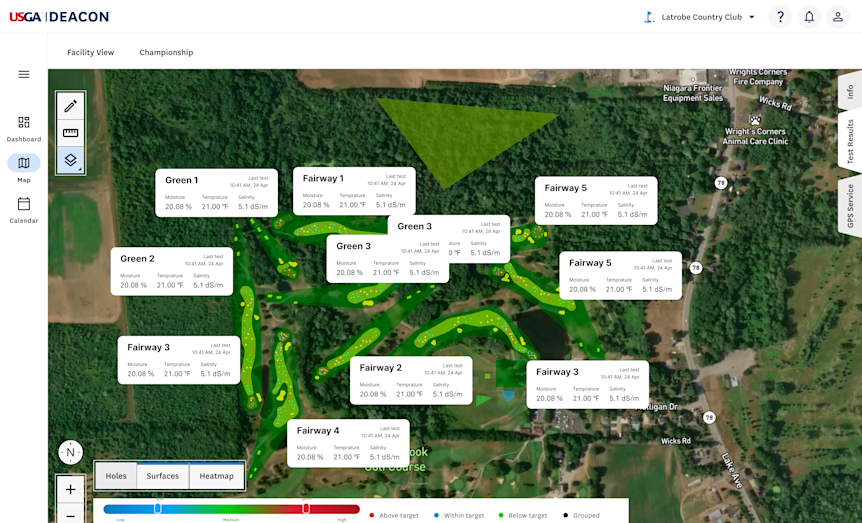
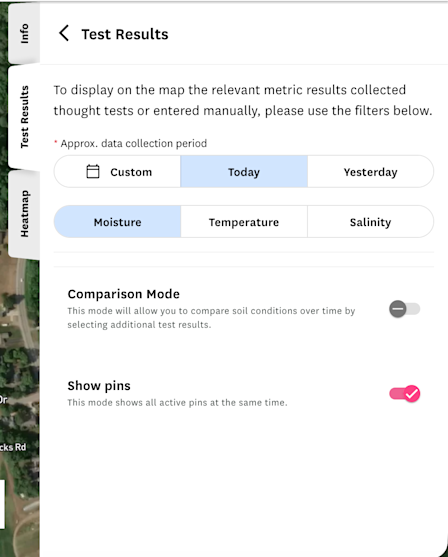
Beyond the initial web moisture map implementation in R27, R33 focuses on viewing and comparing informative heatmaps in as little clicks as possible in order to quickly make a decision about moisture maintenance practices. The changes include:
- Access a moisture heatmap of all surfaces for the latest test date at once
- Access moisture maps via less clicks on the Map tab
- Revamp moisture target ranges legend
As always, please contact greensection@usga.org with any questions or comments.